Exporting Data
After mapping and validation, export your data to CDISC-compliant formats.
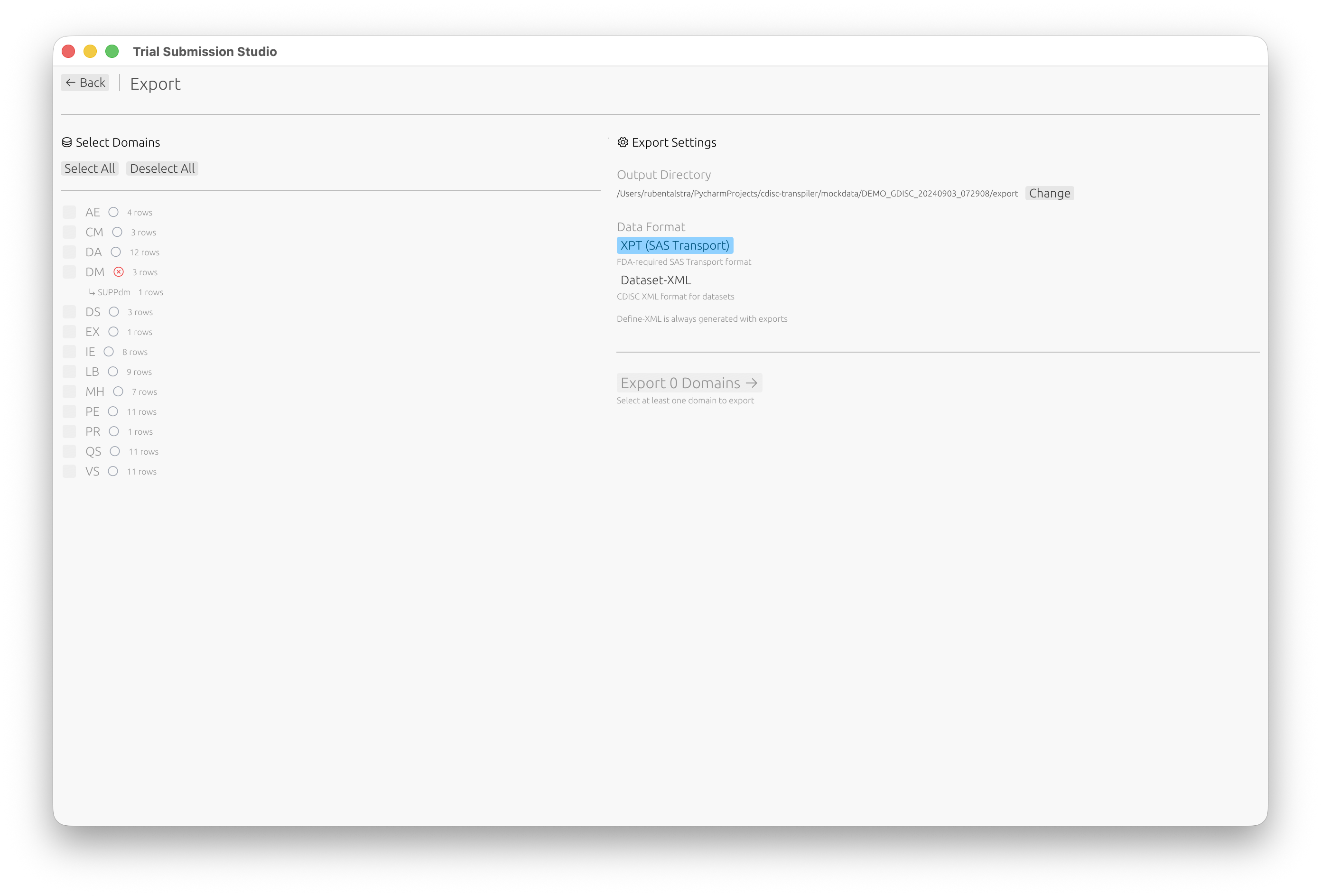
Export Formats
Trial Submission Studio supports multiple output formats:
| Format | Version | Description | Use Case |
|---|---|---|---|
| XPT | V5 | SAS Transport (FDA standard) | FDA submissions |
| XPT | V8 | Extended SAS Transport | Longer names/labels |
| Dataset-XML | 1.0 | CDISC XML format | Data exchange |
| Define-XML | 2.1 | Metadata documentation | Submission package |
XPT Export
XPT Version 5 (Default)
The FDA standard format with these constraints:
- Variable names: 8 characters max
- Labels: 40 characters max
- Compatible with SAS V5 Transport
XPT Version 8
Extended format supporting:
- Variable names: 32 characters
- Labels: 256 characters
- Note: Not all systems support V8
Export Steps
- Click Export in the toolbar
- Select XPT V5 or XPT V8
- Choose output location
- Click Save
XPT Options
| Option | Description |
|---|---|
| Include all variables | Export mapped and derived variables |
| Sort by keys | Order rows by key variables |
| Compress | Reduce file size |
Dataset-XML Export
CDISC ODM-based XML format for data exchange.
Features
- Human-readable format
- Full Unicode support
- Metadata included
- Schema validation
Export Steps
- Click Export
- Select Dataset-XML
- Configure options
- Click Save
Define-XML Export
Generate submission metadata documentation.
Define-XML 2.1
- Dataset definitions
- Variable metadata
- Controlled terminology
- Computational methods
- Value-level metadata
Export Steps
- Click Export
- Select Define-XML
- Review metadata
- Click Save
Batch Export
Export multiple domains at once:
- File → Batch Export
- Select domains to export
- Choose format(s)
- Set output directory
- Click Export All
Export Validation
Before export completes, the system verifies:
- All required variables are present
- Data types are correct
- Lengths don’t exceed limits
- Controlled terms are valid
Output Files
File Naming
Default naming convention:
{domain}.xpt- e.g.,dm.xpt,ae.xpt{domain}.xml- for Dataset-XMLdefine.xml- for Define-XML
Checksums
Each export generates:
- SHA256 checksum file (
.sha256) - Useful for submission verification
Quality Checks
Post-Export Verification
- Open the exported file in a viewer
- Verify row counts match
- Check variable order
- Review sample values
External Validation
Consider validating with:
- Pinnacle 21 Community
- SAS (if available)
- Other CDISC validators
Best Practices
- Validate before export - Fix all errors first
- Use XPT V5 for FDA - Standard format
- Generate checksums - For integrity verification
- Test with validators - Confirm compliance
- Keep source files - Maintain audit trail
Troubleshooting
Export Fails
| Issue | Solution |
|---|---|
| Validation errors | Fix errors before export |
| Disk full | Free up space |
| Permission denied | Check write permissions |
| File in use | Close file in other apps |
Output Issues
| Issue | Solution |
|---|---|
| Truncated values | Check length limits |
| Missing data | Verify mappings |
| Wrong encoding | Ensure UTF-8 source |
Next Steps
- Common Workflows - End-to-end examples
- XPT Format - XPT specification
- Define-XML - Define-XML guide